What does an AI-generated image carry, and how does a Drupal site label it?
Deep dive into the AI Disclosure project
With version 1.0.0-beta1 (opens in a new tab), released on 12 October 2026, AI Disclosure, the module I created on drupal.org within the Drupal AI Initiative, labels images, video and audio as well as text. Here I start from the image, the most common case: what it carries when it comes out of a generator, what is left of it when a Drupal site publishes it, and how the beta1 follows it from upload all the way to the person looking at it. When a label is mandatory is explained in the article on Article 50(4) of the AI Act in Drupal.
What is inside an AI-generated image?
A synthetic image can carry up to four provenance signals, and whoever built the generator adds them at the moment the file is created.
The first is an invisible watermark, hidden in the pixels: the eye misses it, the provider's detector recognises it. The second is a C2PA manifest, the Content Credentials: a kind of signed ID card attached to the file, saying who produced it and with which tool. The third is a simpler label in the metadata, the IPTC digital source type, which states in plain words "generated by a trained model". The fourth stays outside the file: a fingerprint the provider keeps in its own records, used to recognise the image even after it has lost everything else.
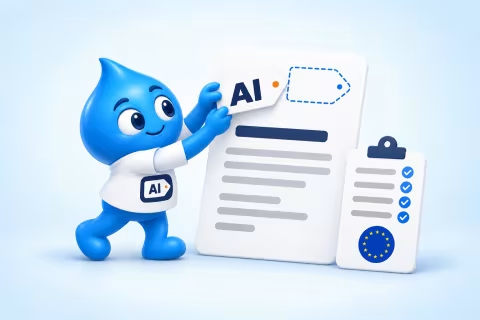
The image at the top of this article was generated by ChatGPT on 10 October 2026, and it carries a 23,654-byte C2PA manifest signed by OpenAI. The manifest states that the image was created by a model, with the source type trainedAlgorithmicMedia, and announces a watermark in the pixels. The IPTC source type in the metadata, on the other hand, is missing: in this file that information lives only inside the manifest.
What is the difference between labelling and marking?
Marking is for machines, labelling is for people, and the AI Act asks two different parties for them. The provider of the AI system has to add the marking, under Article 50(2). Whoever publishes a deep fake has to show the label, under Article 50(4), and a Drupal site publishing images made by others sits on this side.
The Code of Practice the Commission published in June 2026 asks providers for several layers of marking together, for example signed metadata and a watermark, because each technique breaks on its own. Publishers are asked for a label that is visible at once, with the EU icon or an equivalent symbol containing "AI".
What happens to those signals when a site publishes the image?
When you upload an image to Drupal, the site almost never shows the original file. It derives resized copies, the derivatives, one for each format the theme uses, and serves those. Every derivative is a new file, and the question is what it carries along.
I measured it on a test bench with Drupal 11.4, starting from the ChatGPT image and from a test photo that contained GPS coordinates, the camera model, the IPTC source type and the prompt used to generate it. The C2PA manifest disappeared from every derivative, every time. The rest depends on the image library the site uses. With GD, the default, the derivative comes out clean and silent: no metadata. With ImageMagick the derivative carries the original's metadata along, and with it the GPS coordinates and the prompt, which the editor believed had stayed in the uploaded file.
In practice an image that arrives well marked from the generator leaves the site without its markings. Instagram looks for the IPTC source type, LinkedIn looks for the C2PA manifest, and in a stock Drupal derivative both find an ordinary file.
Which signals reach the person looking at the image?
Only two signals make it all the way: a watermark designed to resist and the icon burned into the image, as long as nobody crops the corner where it sits. The others get lost along the way, at different points.
The case below is a deep fake that arrives from a provider with all its markings, published on a Drupal site. Each stage is a step in its life, and the switch shows what changes with AI Disclosure 1.0.0-beta1.
For the watermark I ran a separate test, because OpenAI's is Google's SynthID, and only Google's and OpenAI's tools check it. I embedded two open watermarks in the cover and ran them through the test bench. Adobe's TrustMark, a neural network, got through everything: the copies made with GD and with ImageMagick, recompression, the screenshot, the 400-pixel thumbnail. It was lost only when a fifth of the image was cropped away. The classic watermark used by Stable Diffusion was already gone in the first copy. So Drupal wipes the watermark only when it is fragile, as a side effect of resizing and compression.
| What it carries | Original file | Resized with GD | Resized with ImageMagick | Saved by a reader | Screenshot |
|---|---|---|---|---|---|
| EU icon | – the generator does not add it | – absent → ↻ drawn in the corner | – absent → ↻ drawn in the corner | – absent → ↻ stays in the saved copy | – absent → ↻ stays in the screenshot |
| IPTC source type | ✓ in the file's metadata | ✗ lost in resizing → ↻ rewritten in the copy | ⚠ copied along with the private data → ↻ rewritten on its own | ✗ absent from the copy → ↻ arrives with the copy | ✗ a screenshot has no metadata |
| C2PA signature | ✓ signed by OpenAI | ✗ lost in resizing | ✗ lost in resizing | ✗ lost | ✗ lost |
| Durable watermark (TrustMark) | ✓ in the pixels | ✓ survives | ✓ survives | ✓ survives | ✓ survives |
| Classic watermark (Stable Diffusion) | ✓ in the pixels | ✗ lost at the first copy | ✗ lost at the first copy | ✗ lost | ✗ lost |
| Prompt and GPS | ⚠ in the uploaded file | ⊘ GD does not copy them | ⚠ copied into the copy → ⊘ removed by AI Disclosure | ⚠ present with ImageMagick → ⊘ removed by AI Disclosure | ⊘ a screenshot does not carry them |
With AI Disclosure 1.0.0-beta1 only one step stays out of reach: the watermark, which the provider adds and no site can add afterwards.
How do you declare an image when you upload it?
Whoever uploads an image to Drupal finds a single panel in the media form, "AI disclosure", with everything about the file. At the top there is a status line: the chosen grade and a plain verdict saying whether the label is due, not due, or not yet assessed. Below are the questions that decide the verdict, and next to the first one, whether the file is a deep fake, a short guide open by default, because it is the answer editors get wrong most often. The panel opens on its own when the file needs a label and stays closed otherwise.
If the icon in the corner covers a face or a logo, the editor picks another corner for that single image, with a preview that moves as the choice changes. The corner belongs to the file, so to every piece of content that shows it, and the form says so before saving, with links to the other content.
When the image arrives already signed, for example by ChatGPT, the Content Credentials module by @maurice1969 (opens in a new tab) can read its signature and propose the grade; the decision stays with the editor.
Who decides that an image was made with AI?
The editorial team decides. AI Disclosure records what whoever produced the content declares: the editor in the form, a step in the editorial workflow, or the agent that wrote the content through Tool API. The module leaves automatic detectors aside: classification stays an editorial choice that someone answers for.
The same caution applies to images already published. The Article 50(4) questions all start as "not assessed", and until someone answers, the page says the verdict is open rather than claiming the label is not needed.
When does an image need the EU icon?
An image needs a label when it is a deep fake, meaning it credibly resembles a person, a place, an object or an event that exists or could exist, and whoever looks at it would take it as real. That is how the Commission's guidelines read the AI Act definition, and all four elements count together.
An invented person counts, if shown as real. The publisher's intention is irrelevant: what matters is what the audience would believe, children and older people included. A clearly artistic, satirical or fictional work keeps the label in a lighter form, next to the image rather than on it. The illustration in this article is a mascot nobody would mistake for a photo, so it stays out.
What does the person viewing the page see?
The person viewing the page sees the EU icon in a corner of the deep fake, always, without having to hover: the Code accepts an interface icon only if it is recognisable at once. The icon has a minimum size that keeps it readable on thumbnails too, and always uses the full version, black or white, so it stays visible on any background. A site can choose to show it on other AI images as well, beyond deep fakes.
Below the image an expandable line explains how AI was used, without covering the image. Screen reader users hear the alt text of the official icon and the grade sentence. The label reaches every place an image appears: image fields, media and images inserted into text with the editor. A page with several AI media items can sum them all up in a single panel, instead of repeating the same explanation for each.
What stays in the file the site serves?
The icon on the page is HTML, and whoever saves the image leaves it behind. That is why the beta1 can also burn the icon into the pixels, with the "AI disclosure icon" effect of the ai_disclosure_image submodule, added as the last step of the image style. The icon then travels with the file: in social previews, in feeds, in downloads. You choose style by style where it is needed, for example on the article's large image and on the social one, leaving the media library thumbnails clean; enabling the submodule leaves existing styles as they were. The icon is computed on the final copy, so it stays in proportion even in a small one. It does this only on deep fakes, picks the light or dark version by itself from the brightness of the corner, and skips copies under 240 pixels, where the icon would be unreadable and the one on the page remains. When the icon is in the pixels, the one on the page steps aside, and the reader sees just one.
The same submodule also puts the machine-readable marking back into the file. In every copy it writes the IPTC source type and a readable sentence, such as "This content was produced by AI.", and removes all the rest of the original metadata. The prompt always stays out, because it can contain personal or confidential text, and so do the GPS coordinates and the camera data. It does this on every AI image, deep fake or not. The original file stays as it was: the module works only on the copies, and when the grade changes it regenerates them, so whoever requests the image gets the updated one.
The digital signature of the copies is added by another module, C2PA Sign, which uses the AI Disclosure data.
What do machines read on the page?
Beyond the files, the page itself declares its AI images in the code that search engines and agents read. In the article's JSON-LD block the module adds an element for every AI image, video or audio the page shows, with the address of the original file and its source type: TrainedAlgorithmicMediaDigitalSource for what AI generated, CompositeWithTrainedAlgorithmicMediaDigitalSource for what AI edited or completed. It is the same page-level marking that the article on how a Drupal page tells machines it used AI describes for text, extended to media.
What about video and audio?
The beta1 handles video and audio with the same logic as images. A video gets the EU icon on the player, even when it comes from YouTube or Vimeo, and the site can prepare a copy with the icon inside the frames. An audio file shows icon and sentence next to the player, and its copy opens with a spoken notice in the file's language.
What should a Drupal module do for AI images?
Anyone choosing a module to label AI images can start from eight questions, and AI Disclosure 1.0.0-beta1's answer sits next to each one.
| Question | AI Disclosure 1.0.0-beta1 |
|---|---|
| Does it tell how far AI went into the content? | yes, with nine grades, from human only to deep fake |
| Does it say whether the label is due under Article 50(4)? | yes, with a verdict computed from the editorial team's answers |
| Does it leave the original file intact? | yes, it works only on the copies |
| Does it put the icon in the pixels too, as well as on the page? | yes, on deep fakes, in the chosen image style |
| Does it put the machine-readable metadata back into the copies, removing prompt and GPS? | yes, in JPEG, PNG and WebP, and with ExifTool in AVIF and HEIC |
| Does it cover video and audio too? | yes, with the icon on the player, labelled copies and the spoken notice |
| Does it keep a declaration for each translation? | yes |
| Does it work with C2PA? | yes, with C2PA Sign for signing and Content Credentials for reading |
What changes for a site that updates the module?
A site moving from 1.0.0-alpha3 to 1.0.0-beta1 stays identical until it switches the new features on: everything the reader sees starts off. The machine-readable marking in derivatives, instead, starts as soon as ai_disclosure_image is enabled.
There are three options to look at: which images get the icon, in the Media tab; a single panel summing up the page's AI media, in the Output tab; and how a media item embedded in other content is shown, in the media type's display. One combination should be avoided: icon on no image and, for embedded media, only the icon on the media. A deep fake inside an article would be left with no label at all, and Article 50(4) rules that out.
I retested WebP on 11 October 2026 with a test photo carrying GPS coordinates, camera model and prompt. With GD and with ImageMagick the WebP copy comes out with the IPTC source type and the readable sentence, and without GPS, camera and prompt.
For anyone who wants to check what a file carries
This is the metadata packet the module wrote into the derivative of the ChatGPT image, with the grade "Autonomously AI generated":
<x:xmpmeta xmlns:x="adobe:ns:meta/">
  <rdf:RDF xmlns:rdf="http://www.w3.org/1999/02/22-rdf-syntax-ns#">
    <rdf:Description rdf:about=""
        xmlns:Iptc4xmpExt="http://iptc.org/std/Iptc4xmpExt/2008-02-29/"
        xmlns:dc="http://purl.org/dc/elements/1.1/">
      <Iptc4xmpExt:DigitalSourceType>http://cv.iptc.org/newscodes/digitalsourcetype/trainedAlgorithmicMedia</Iptc4xmpExt:DigitalSourceType>
      <dc:description>
        <rdf:Alt><rdf:li xml:lang="x-default">This content was produced by AI.</rdf:li></rdf:Alt>
      </dc:description>
    </rdf:Description>
  </rdf:RDF>
</x:xmpmeta>
The module writes it in JPEG, PNG and WebP with no external libraries; AVIF and HEIC need ExifTool. Three commands are enough to read what a file carries:
# Tipo di sorgente IPTC e descrizione
exiftool -XMP-iptcExt:DigitalSourceType -XMP-dc:Description derivato.jpg

# Manifesto C2PA, con le azioni e la firma
c2patool originale.png

# Etichette di un video o di un audio
ffprobe -v error -show_entries format_tags -of default=nw=1 copia.mp4
What does marking leave open?
The IPTC source type is unsigned information: it can be stripped in a moment, and it can even be written onto a file AI never touched. It is worth as much as the editorial team that declared it. The proof of origin is the signed C2PA manifest, and the most resistant marking is the provider's watermark. The burned-in icon makes the label visible in every copy downloaded from then on; those downloaded earlier stay as they were.
Sources
Sources checked from 10 to 12 October 2026.
- AI Disclosure, documentation: Media (opens in a new tab). Images, video, audio and markings in the copies. Primary source.
- AI Disclosure 1.0.0-beta1 (opens in a new tab), drupal.org, 12 October 2026. The release this article describes. Primary source.
- AI Disclosure, release notes (opens in a new tab), git.drupalcode.org. New options and values for updated sites. Primary source.
- Digital Source Type (opens in a new tab), IPTC NewsCodes. Values and definitions. Primary source.
- C2PA Explainer 2.3 (opens in a new tab), Coalition for Content Provenance and Authenticity. Signing, invalidation, soft binding. Primary source.
- AI disclosure on social media: a work in progress (opens in a new tab), IPTC. Which platforms read IPTC and which read C2PA. Primary source.
- European Commission publishes final Code of Practice on marking and labelling AI-generated content (opens in a new tab), Jones Day. Two layers of marking, EU icon. Trade press.
- EU AI Act update: Commission adopts guidelines on Article 50 (opens in a new tab), Stephenson Harwood. Label at first exposure, artistic exception. Trade press.
- C2PA Sign (opens in a new tab) and Content Credentials (opens in a new tab), drupal.org. Signing and reading manifests. Primary source.
- TrustMark and C2PA (opens in a new tab), Content Authenticity Initiative. The watermark as soft binding. Primary source.
- Advancing content provenance (opens in a new tab), OpenAI, May 2026. SynthID and C2PA in ChatGPT images, verification tool. Primary source.
- Google's SynthID AI content detector expands globally (opens in a new tab), 9to5Google, 7 October 2026. Google's detector also reads OpenAI images. Trade press.
- My test on a Drupal 11 test site, with GD and ImageMagick, read with ExifTool and c2patool; WebP redone on 11 October 2026. First-hand measurement.
- TrustMark (opens in a new tab), Adobe, and invisible-watermark (opens in a new tab), used for the watermark test on the test site. First-hand measurement.
More articles on AI Disclosure

What does the AI Act ask of developers who build software with AI agents?
I'm Giorgio Pagano, a freelance Drupal developer: I use AI agents across my whole development workflow, and I created AI Disclosure, the Drupal AI Initiative module for declaring AI use in content. He...

How does a Drupal page tell machines that its content was made with AI?
When an AI label is mandatory is covered in the article on Article 50(4) of the AI Act in Drupal. This one looks at the part a machine reads: the property, the value, where it sits in the page and wha...
How do I apply Article 50(4) of the AI Act to the content of a Drupal site?
This article is not legal advice. It sets out what Regulation (EU) 2024/1689 and the European Commission FAQ say, and what the module does with those rules. Whether a piece of content needs a label is...

This text was translated by AI.
How was AI used?
Translated from the Italian original with AI assistance, then read and corrected by a person, who holds editorial responsibility.